Using Excel Price Feed on a Mac with Parallels
Excel Price Feed works only with the Windows version of Microsoft Excel. It does not work with the native Mac version of Excel.
If you use an Apple Mac, you can run the Windows version of Excel using Parallels Desktop for Mac. Parallels creates a Windows virtual machine on your Mac, allowing you to install and run Windows applications such as Microsoft Excel.
The steps below walk you through installing Parallels, setting up Windows and Excel, and then installing Excel Price Feed.
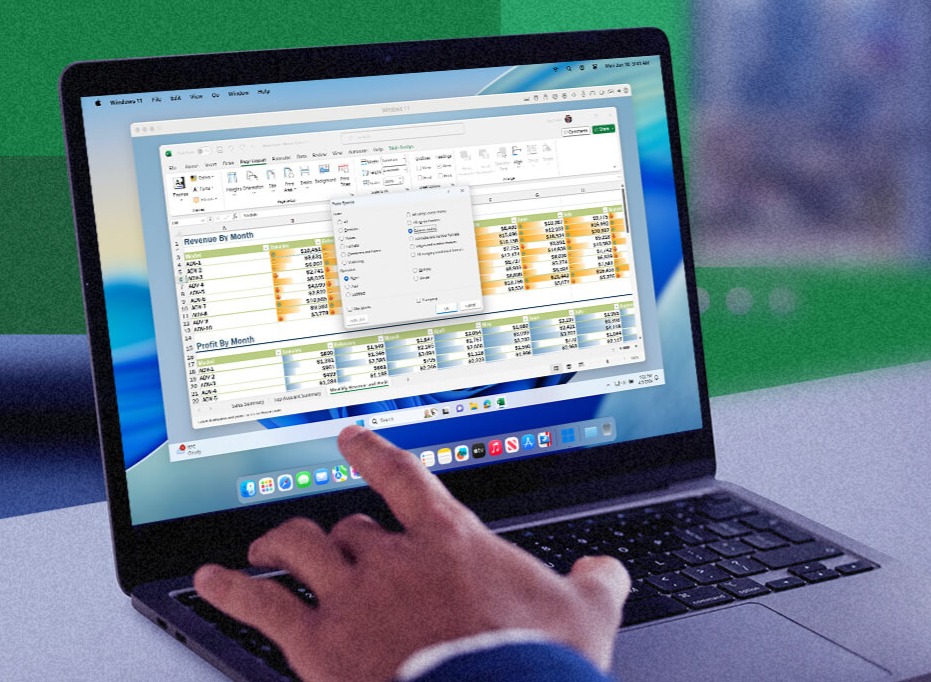
Run the Windows version of Microsoft Excel on your Mac using Parallels Desktop.
1. Install Parallels Desktop
- Visit the Parallels website and download Parallels Desktop for Mac.
- Open the downloaded installer and follow the on-screen instructions to install Parallels on your Mac.
- When prompted, sign in to or create a Parallels account to complete the installation.
Parallels is commercial software and requires a separate licence from Parallels. Excel Price Feed does not include or provide Parallels.
2. Set Up Windows in Parallels
When you first launch Parallels, it will guide you through creating a Windows virtual machine. You will need a valid Windows licence.
- Open Parallels Desktop on your Mac.
- Choose to install Windows. Parallels can help you download and install a supported version of Windows.
- Follow the setup wizard to create your Windows virtual machine and complete the Windows installation.
- Once setup is complete, start the Windows virtual machine. You can run Windows applications in a window on your Mac desktop or in full-screen mode.
3. Install Microsoft Excel (Windows Version)
Excel Price Feed must be installed into the Windows version of Excel running inside your Parallels virtual machine. The native Mac version of Excel installed on macOS cannot be used with Excel Price Feed.
- Start your Windows virtual machine in Parallels.
- Inside Windows, install Microsoft Excel. You can do this by:
- Signing in to Microsoft 365 and installing Office, or
- Installing a standalone copy of Microsoft Excel for Windows if you already have one.
- Launch Excel from within Windows and confirm that it opens successfully.
If you are unsure whether you have the 32-bit or 64-bit version of Excel installed, refer to the instructions on the Download page.
4. Install Excel Price Feed
With Windows and Excel running inside Parallels, you can now install Excel Price Feed in the same way as on a Windows PC:
- Download the Excel Price Feed installer (32-bit or 64-bit, matching your version of Excel).
- Run the installer from within your Windows virtual machine and follow the steps on the Installation & Activation page.
- Launch Excel in Windows, confirm that the ExcelPriceFeed tab appears, and activate your free trial.
If you encounter any issues during installation, please refer to the Troubleshooting page or contact us.
Other Options
Parallels is not the only way to run Windows Excel on a Mac. Any solution that gives you a full Windows environment with Microsoft Excel installed can be used with Excel Price Feed.
Other local virtualisation software
VMware Fusion is a popular alternative to Parallels and works in much the same way: you install Windows in a virtual machine on your Mac, then install Excel and Excel Price Feed inside that Windows environment.
Remote Windows PC or cloud desktop
If you have access to a Windows PC (at home, in the office, or in the cloud), you can connect to it from your Mac using Microsoft Remote Desktop.
Install Excel Price Feed on the Windows machine, then use Excel remotely from your Mac. Cloud desktop services such as Windows 365 work on the same principle.
What does not work
The native Mac version of Excel cannot be used with Excel Price Feed. Compatibility layers such as CrossOver or Wine are also not recommended, as Office add-ins are often unreliable in those environments.